
Snap it now, plan it later: turn a photo into a full home job plan
Short answer
Photograph the problem, and add a line about what you want done if it isn't obvious. Jib works out the job, files it under the right room, and writes a plan: numbered steps, a materials list with quantities and where to buy them, the tools you'll need (ticked off against your Toolbox), how long it takes, a cost range for where you live, safety warnings, and a DIY safe or tradie required verdict. You can ask follow-up questions and edit anything, and the materials land on one shopping list.
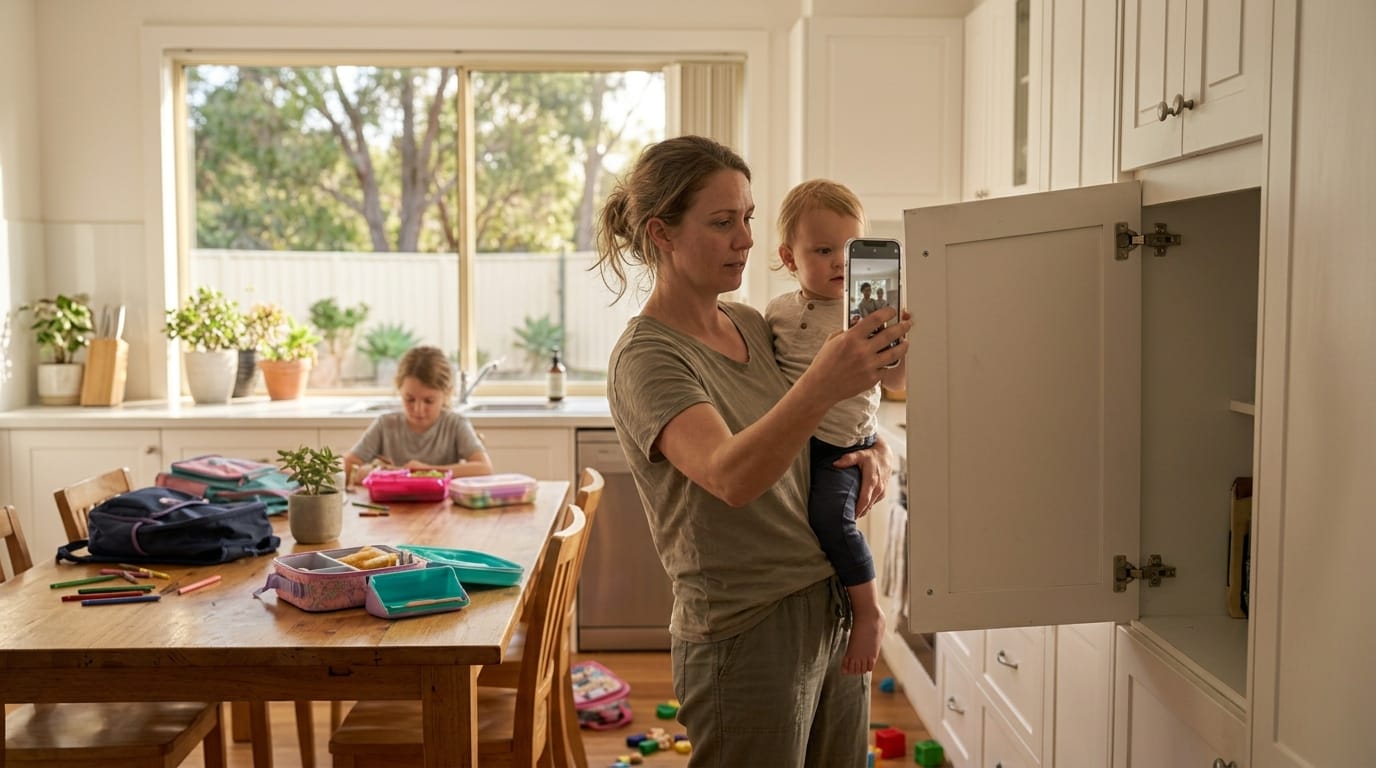
Jib started with a problem every parent knows. You walk through your own house and see ten things that need doing: a cupboard door hanging off, a dripping tap, a cracked tile, a gutter full of leaves. But there’s a toddler on your hip and dinner on the stove, and you don’t even have time to write them down, let alone work out how to fix them. Then Saturday afternoon comes around, you’ve got a spare hour, and you can’t remember a single one.
So Jib works the other way round. Snap a photo the moment you notice something. That’s it; get on with your day. Jib’s AI works out what the job is, names it, files it under the right room, and writes the whole plan: steps, materials, tools, time and cost. When you do get a sliver of time, open the app, scroll through the jobs it’s already planned, and pick one that fits the time you’ve got.
The hardest part of most home jobs isn’t the work. It’s the ten browser tabs before it: what’s actually wrong, what to buy, whether you’re allowed to do it, how long it’ll take. Jib collapses all of that into one step: take a photo.
What you get from one photo
| Part of the plan | What it tells you |
|---|---|
| The job | A clear title and description of what needs doing, filed under the right room |
| Steps | A numbered, plain-English sequence, in the right order |
| Materials | What to buy, with quantities and where to get them |
| Tools | What you need, with the ones already in your AI Toolbox ticked off |
| Time | A realistic estimate, including drying and curing |
| Cost | A low–high range for where you live, with a note on what drives it |
| Warnings | Safety and quality risks: heights, fumes, curing times, structural issues |
| Verdict | DIY safe or tradie required, based on the licensing rules where your house is |
Everything is editable. If the plan says three coats and you know your wall needs two, change it. If you want more detail, ask a follow-up question in the job’s chat.
How to take a photo that gets a great plan
The better the photo, the better the plan. Five tips:
- Show the problem and its surroundings. A close-up of a crack is good; a second photo showing where it is on the wall is better. You can add several photos to one job.
- Include something for scale. A hand, a tape measure or a standard object like a power point helps estimate sizes and quantities.
- Use good light. Open the blinds or turn the lights on. Shadows hide detail.
- Add one line of context. “Want to replace, not repair” or “renting, needs to be temporary” changes the plan.
- Photograph the label. For appliances, hot water systems and fittings, a photo of the rating plate or model number helps a lot.
Worked example: a lifting deck board
Photograph a cracked, lifting deck board and Jib comes back with something like:
- Job: Replace a damaged deck board (Backyard)
- Steps: check the joists underneath for rot; remove the old board’s screws; lift the board; cut a new board to length so both ends land on joists; pre-drill and screw with two screws per joist; oil the new board and the cut ends
- Materials: a length of matching decking, stainless or galvanised decking screws, deck oil
- Tools: drill/driver, drop or circular saw, tape measure, pry bar (with the ones in your Toolbox already ticked)
- Time: 1–2 hours plus oil drying time
- Verdict: DIY safe, no licensed work involved
- Warning: if the joist underneath is soft, the problem is bigger than the board
The decking, screws and oil appear on your shopping list automatically, grouped by store, alongside everything else you need to buy. See the full timber deck materials guide for building from scratch.
Pick a job that fits the time you’ve got
Every planned job shows how long it takes. So when you get a spare half hour during nap time, or a whole Saturday afternoon, you can scroll the list and choose something you can actually finish, or at least get properly started. Fifteen minutes? Re-hang that cupboard door. Two hours? Regrout the shower. Need ideas? See our list of quick home jobs you can finish in 15, 30 or 60 minutes.
It’s also the easiest way to keep a real list of everything your home needs, without ever writing a list. See how to keep a home to-do list when you have no time.
How accurate is it?
The plan is a strong starting point, not a guarantee. It’s drafted by AI from your photo and description, so:
- Check quantities before you buy, especially for bigger jobs. Our bathroom floor calculator and materials guides show the maths.
- Costs are ranges, because prices vary by supplier, region and whether a trade does the work.
- Legal verdicts are general guidance. Confirm with your regulator for anything borderline; Jib links to the rules it’s based on in our DIY legal guides.
- If something looks off, ask. The job chat lets you question any step.
Frequently asked questions
Is photo-to-plan free? You can photograph and track jobs for free. The AI plan, materials list, tools check, cost estimate and verdict are part of Jib’s paid plans, which come with a free trial.
What kinds of jobs does it work for? Anything around the home: repairs, maintenance, garden and outdoor jobs, small renovations, and planning bigger projects. It will also tell you when a job, or part of one, needs a licensed tradie.
Can I plan a job without a photo? Yes. Type what you want to do and Jib plans it the same way. A photo just makes the plan more specific.
Does it work outside Australia? Yes. Costs use your currency, and the DIY-or-tradie verdict is based on the rules where your house is.
This guide is general information, not legal or professional advice. Rules differ between states, councils and individual properties, and they change. Confirm with your state regulator or council before starting work, and if in doubt, get a licensed tradesperson.